Playlistyoutube

AI Tool Reviews

In-depth reviews, comparisons, and "X vs Y" breakdowns of AI tools.

28 items in this collection
1

Two AI Models Set to “stir government urgency”, But Will This Challenge Undo Them?

First look at exclusive reports about OpenAI's new Spud model, and the model Anthropic think will stir governments to urgency, all in the context of the newly-launched ARC-AGI-3. What does the extreme difficulty of that benchmarks, and its quirky scoring metrics, mean for AI in 2026? https://assemblyai.com/aiexplained Check out my fast-growing (!) app, free to use, and code INSIDER15 for paid tiers: https://lmcouncil.ai AI Insiders ($9!): https://www.patreon.com/AIExplained Chapters: 00:00 - Introduction 00:55 - OpenAI Side Quests 01:58 - Claude New Model Coming + Universal Equity? 03:13 - ARC-AGI 3 05:00 - Intentional or Unintentional Gaming? 07:11 - But is it AGI Harbinger? No Harness 09:41 - Not the First 12:32 - Automated Researcher 15:00 - Claw Caveat Spud: https://www.theinformation.com/articles/openai-ceo-shifts-responsibilities-preps-spud-ai-model?utm_campaign=Editorial&utm_content=Article&utm_medium=organic_social&utm_source=bluesky%2Cfacebook%2Clinkedin%2Cthreads%2Ctwitter&rc=sy0ihq FT: OpenAI Special Model: https://www.ft.com/content/de9bf0af-b241-424f-8229-5870b1c0d93d?syn-25a6b1a6=1 Jensen Huang: https://www.forbes.com/sites/antoniopequenoiv/2026/03/23/nvidias-jensen-huang-says-he-thinks-weve-achieved-agi/ Axios Article: https://archive.fo/20260326100140/https://www.axios.com/2026/03/26/anthropic-pentagon-ai-deal#selection-827.0-829.257 https://arcprize.org/arc-agi/3 ARC AGI 3 Paper: https://arcprize.org/media/ARC_AGI_3_Technical_Report.pdf NetHack Leaderboard: https://balrogai.com/ Paper: https://ai.meta.com/research/publications/the-nethack-learning-environment/ https://x.com/_rockt/status/2036864121585438995 Claw Shells: https://x.com/DrJimFan/status/2036494601750716711 OpenAI Automated Researcher: https://www.technologyreview.com/2026/03/20/1134438/openai-is-throwing-everything-into-building-a-fully-automated-researcher/ Patreon Post: https://www.patreon.com/c/aiexplained/posts Eng Jobs: https://x.com/lennysan/status/203653546072676

2

Open AI is Deleting Sora - Thoughts as a Weekly User

OpenAI is shutting down Sora, but this is not really a story about “AI failing.” It’s a story about cost, compute, priorities, and a company deciding that experimental consumer video was not where it could afford to stay focused right now. In this video I break down why Sora likely had to go, why the app mattered creatively, why this is a rough signal to core users who actually built on it, and what this says about where OpenAI is heading next. ▼ Link(s) From Today’s Video: Tweet: https://x.com/soraofficialapp/status/2036546752535470382 Tibor on Spud and more: https://x.com/btibor91/status/2036540895986602266 Sora (time is ticking) https://sora.chatgpt.com/ Article: https://finance.yahoo.com/news/2-charts-explain-why-openai-just-pulled-the-plug-on-sora-133016441.html?guce_referrer=aHR0cHM6Ly93d3cuZ29vZ2xlLmNvbS8&guce_referrer_sig=AQAAAMWnisNpseB9p2G2nz5M20GvjkQM0eVv72HoqHUTe_L56Fe2rb6dzwT6nPdZReE36Mwl7f6zvCfDhT-DgiPLSFK9ggmbTIwZD5uK0PYj-Wlcp2BFNTFdJc9YtoqgPtf4-X6BKwm8qTyNnahHRMPeLWh11s-SN-7tQAnXP6bA537a MattVidPro Discord: https://discord.gg/mattvidpro Follow Me on Twitter: https://twitter.com/MattVidPro Buy me a Coffee! https://buymeacoffee.com/mattvidpro ▼ Extra Links of Interest: General AI Playlist: https://www.youtube.com/playlist?list=PLrfI66qWYbW3acrBQ4qltDBsjxaoGSl3I Instagram: instagram.com/mattvidpro Tiktok: tiktok.com/@mattvidpro Gaming & Extras Channel: https://www.youtube.com/@MattVidProGaming Let's work together! - For brand & sponsorship inquiries: https://tally.so/r/3xdz4E - For all other business inquiries: mattvidpro@smoothmedia.co Thanks for watching MattVideoProductions! I make all sorts of videos here on Youtube! Technology, Tutorials, and Reviews! Enjoy Your stay here. All Suggestions, Thoughts And Comments Are Greatly Appreciated

5

🔥 WHAT TO DO AFTER 12TH SCIENCE | WATCH BEFORE YOU REGRET! | AI IS HERE

REGISTER NOW WITH ALTA SCHOOL OF TECHNOLOGY: https://tinyurl.com/2hfy66bt Thinking of doing B.Tech CSE but confused between traditional engineering colleges and new-age tech schools? This video gives you a complete, honest, and in-depth breakdown of Alta School of Technology (ASOT) — its curriculum, learning model, eligibility, entrance exam, and whether it’s truly a future-ready alternative to traditional engineering education. --- 🚀 What You’ll Learn in This Video: ✔ What Alta School of Technology actually is ✔ Why Alta follows an AI-first, experiential learning model ✔ How coding starts from Day 1 (not 2nd/3rd year like typical colleges) ✔ Complete year-wise B.Tech CSE curriculum breakdown ✔ Alta vs traditional engineering colleges — clear comparison ✔ Focus on real-world projects, internships & industry exposure ✔ Who should (and should NOT) choose Alta ✔ Eligibility criteria & entrance exam details ✔ Is Alta School of Technology worth it in 2026? --- 🎯 What is Alta School of Technology? Alta School of Technology is a new-age engineering institution designed for real-world tech careers — not just theoretical exams. It offers AI-first Experiential Computer Science programs through UGC & AICTE-approved partner universities. 🔹 Coding from Day 1 with a personal MacBook 🔹 Product-based learning & real-world projects 🔹 Industry-aligned curriculum (not outdated syllabus) --- 📝 Entrance Exam Details (ASAT 2026): • Exam Name: ASAT (Alta Scholastic Aptitude Test) • Mode: Online • Eligibility: Class 12 (PCM) with minimum 50% aggregate • Last Date to Apply: 27 March 2026 • Exam Date: 28 March 2026 👉 Early applicants get better chances of scholarships — don’t delay. 🔔 Take Action: 👍 Like the video if it gave you clarity 📌 Subscribe for honest college & career insights 💬 Drop your questions in comments — serious queries get replies 🔖 Hashtags: #AltaSchoolOfTechnology #ASOT #ASAT #BTechCSE #EngineeringAdmissions2026 #AIFirstEducation #NewAgeEng

6

Claude Code: Build Your First AI Agent

How to use Claude Code to build an Agent. You don't need to know how to code to build your own AI agent -- and in this video, I'll prove it. I'll walk you step by step through creating an agentic workflow using Claude Code and VS Code so your AI can research, plan, and deliver results on its own. In this tutorial, we go beyond simple app building and into agentic workflows -- where you give the AI a goal and it figures out the steps on its own. You'll learn the three levels of working with AI (chat, building, and agentic), how to set up VS Code with the Claude Code extension, why the CLAUDE.md file is a game changer for your projects, and how to build and run a real research agent from scratch. We also cover plan mode, iterating on results, automatic memory, and the five biggest mistakes to avoid. Timestamps: 0:00 Intro 1:00 What is an agentic workflow 3:37 Setting up VS Code with Claude Code 5:07 Quick orientation of VS Code 6:42 Setting up your CLAUDE.md file 9:22 CLAUDE.md comparison -- with vs without 10:50 Automatic memory in Claude Code 11:16 The three layers of agentic workflows 12:45 Building your first agent with plan mode 18:03 Running the research workflow live 21:12 Iterating and refining results 22:22 Five mistakes to avoid and pro tips 24:58 Wrap up and weekly challenge Claude Code for Beginners (watch first): https://youtu.be/s-Mc26Ytz10 Claude Cowork for Beginners: https://youtu.be/vv09DHej6gg Visual Studio Code Download: https://code.visualstudio.com/download

8

Claude Code Scheduler: Auto-fix Security Bugs Every Day (Beats OpenClaw?)

**Claude Code now supports scheduled tasks — and it changes how you think about automation.** Claude Code Scheduler is a Task Scheduler for ai automation In this video, I set up a fully automated daily dev workflow: - **9:00 AM** — Claude Code scans the codebase for security vulnerabilities and logs them as GitHub issues - **10:00 AM** — It goes through those issues, fixes them, and opens a pull request - **11:00 AM** — It pulls the latest changes and writes documentation for all new features Zero manual intervention. You just review and approve. I also cover the key difference between the **web version** (cloud.ai/code/schedule) and the **desktop app** — the web version connects to GitHub, Slack, Notion, and other cloud services, while the desktop app has direct access to your local file system. **What you can schedule:** - Daily code reviews and security audits - Automated bug fixes with pull requests - Documentation generation - Weekly reports and team updates - Local file organization **Timestamps** 0:00 – Intro: the automated dev workflow 1:00 – What scheduled tasks can do 1:32 – Two ways to create a scheduled task 1:48 – Web vs desktop: key difference 2:24 – Demo: daily code review connected to GitHub 3:49 – Demo: auto-fix issues + create pull request 4:51 – Using the desktop app for local tasks 5:29 – Scheduling local documentation generation 6:18 – Full workflow recap This video showcases Cloud Code's automated code analysis and issue resolution, demonstrating how it streamlines the **developer workflow**. Learn how to leverage **ai automation** with **task scheduling** to manage your GitHub projects efficiently. By using the **task scheduler**, Cloud Code identifies code gaps, fixes issues, and creates pull requests, making it a powerful tool for **ai agents** in development.

9

What is Convolution in CNN | Artificial vs Convolutional Neural Network

In this video, Varun sir will break down the concept of Convolution in Convolutional Neural Networks (CNNs) in a simple, beginner-friendly way. Learn how filters, feature maps, and sliding windows help machines “see” and recognize patterns in images. This video will give you a clear understanding of one of the most important concepts in Deep Learning. #cnn #ann #neuralnetworks #deeplearning 🔹 Gate Smashers Shorts: Watch quick concepts & short videos here: https://www.youtube.com/@GateSmashersShorts 🔹 Subscribe for more shorts and motivational content: https://www.youtube.com/@varunainashots -------------------------------------------------------------------------------------------------------------------------------------- Timestamps: 00:00 - Introduction to CNN 00:56 - Definition of Convolution 01:30 - Example: Applying Filter on Image 05:00 - Stride Concept -------------------------------------------------------------------------------------------------------------------------------------- 🔹 Gate Smashers Shorts: Watch quick concepts & short videos here: https://www.youtube.com/@GateSmashersShorts 🔹 Subscribe for more shorts and motivational content: https://www.youtube.com/@varunainashots Subject-wise playlist Links: -------------------------------------------------------------------------------------------------------------------------------------- ►Design and Analysis of algorithms (DAA): https://www.youtube.com/playlist?list=PLxCzCOWd7aiHcmS4i14bI0VrMbZTUvlTa ►Software Engineering (Complete Playlist): https://www.youtube.com/playlist?list=PLxCzCOWd7aiEed7SKZBnC6ypFDWYLRvB2 ►Database Management System: https://www.youtube.com/playlist?list=PLxCzCOWd7aiFAN6I8CuViBuCdJgiOkT2Y ►Cloud Computing: https://www.youtube.com/playlist?list=PLxCzCOWd7aiHRHVUtR-O52MsrdUSrzuy4 ► Theory of Computation https://www.youtube.com/playlist?list=PLxCzCOWd7aiFM9Lj5G9G_76adtyb4ef7i ►Artificial Intelligence: https://www.youtube.com/playlis

10

Claude Code on Telegram: The Game Changer

**Claude Code in Telegram — Control Your AI Agent Remotely** Claude Code now supports Telegram (plus Discord and Slack) through an official plugin, meaning you can send coding tasks to your agent and get results without being at your computer. https://github.com/anthropics/claude-plugins-official/blob/main/external_plugins/telegram/README.md This video walks through the complete setup, step by step. **What you'll set up:** - Claude Code running locally on your machine, listening for Telegram messages - A paired Telegram bot that only responds to you - Full file access so Claude can read, review, and work on your project remotely **Steps covered:** 1. Install Claude Code 2. Install Bun (required dependency) 3. Create a Telegram bot via BotFather and grab your token 4. Install the Telegram plugin for Claude Code 5. Configure your token and relaunch Claude with the `--channels` flag 6. Pair your Telegram account with a one-time access code 7. Lock down the allow-list so strangers can't trigger your agent **Use case shown:** Asking Claude to analyse a local PraisonAI project folder directly from Telegram — no desktop required. If you want the same setup using a fully local model (no API costs), check out the OpenClaw + Telegram video linked at the end. **Timestamps** - 0:00 — Intro - 1:15 — Navigate to your project folder - 1:55 — Create a Telegram bot with BotFather - 2:22 — Install the Telegram plugin - 2:39 — Add your bot token - 3:07 — Relaunch Claude with `--channels` - 3:41 — Pair your Telegram account - 4:03 — Set the allow-list - 4:18 — Live demo from Telegram All commands used are in the official Claude Code docs. Links below. This video guides you through the setup and utilisation of Claude Code, a powerful agentic system directly integrated with Telegram. Learn how to install the necessary plugins, configure your bot token, and relaunch with a channel flag to enable seamless **telegram automation**. Discover the capabilities of this **multi agent sy

11

Google Quietly Made AI Building Way Easier

I tried one of the wildest open source AI demos I’ve seen in a while, and it genuinely feels like an early glimpse of interactive world models. In this video I test InSpatio World, check out OpenArt Worlds, then jump into Google’s updated Stitch and AI Studio builder to see which of these tools are actually useful right now. The world model is the most experimental by far, Stitch feels the most complete, and Google’s browser-based building flow is getting surprisingly good for AI website and app creation. ▼ Link(s) From Today’s Video: Inspatio announcement: https://x.com/InSpatio_AI/status/2034488330792894820 Try Inspatio World: world.inspatio.com Inspatio World Code & Weights: https://github.com/inspatio/inspatio-world OpenArt Worlds: https://x.com/openart_ai/status/2034384539435626981 Kath on Stitch: https://x.com/simpsoka/status/2034335103309205603 Try Stitch: https://stitch.withgoogle.com/ Google AI Studio Update: https://x.com/GoogleAIStudio/status/2034654985850659149 AI Studio: https://aistudio.google.com/ MattVidPro Discord: https://discord.gg/mattvidpro Follow Me on Twitter: https://twitter.com/MattVidPro Buy me a Coffee! https://buymeacoffee.com/mattvidpro ▼ Extra Links of Interest: General AI Playlist: https://www.youtube.com/playlist?list=PLrfI66qWYbW3acrBQ4qltDBsjxaoGSl3I Instagram: instagram.com/mattvidpro Tiktok: tiktok.com/@mattvidpro Gaming & Extras Channel: https://www.youtube.com/@MattVidProGaming Let's work together! - For brand & sponsorship inquiries: https://tally.so/r/3xdz4E - For all other business inquiries: mattvidpro@smoothmedia.co Thanks for watching MattVideoProductions! I make all sorts of videos here on Youtube! Technology, Tutorials, and Reviews! Enjoy Your stay here. All Suggestions, Thoughts And Comments Are Greatly Appreciated 00:00 Intro 00:25 Inspatio World 03:04 Inspatio World Demo 05:27 OpenArt Worlds 06:23 Hands on with Stitch by Google 14:53 Hands on with AI Studio Vibecoding Update 20:18 Conclusion & Thanks

13

Claude Skills: Build Your First AI Assistant (Never Repeat Prompts Again)

How to use Claude Skills. Every time you start a new AI chat, it forgets everything -- your tone, your format, your whole workflow. Claude Skills fix that by letting you teach Claude your exact process once so it follows it every time. In this video, I'll show you how to find, build, and use skills on both claude.ai and Claude Co-work, step by step with real examples you can try today. This video covers everything you need to know about Claude Skills, from what they are and how they work to building your own from scratch. You'll see how to use the built-in Skill Creator to generate skills through a simple conversation, how to test and refine them, and the difference between capability skills and workflow skills. Then we move into Claude Co-work on the desktop app, where skills get even more powerful because Claude can access your local files. I walk through two full builds -- a content repurposer that turns YouTube subtitle files into blog posts, Twitter threads, and newsletters, and a pricing reply skill that reads your rate sheet PDF and drafts professional client responses. We also connect Gmail so Claude can read emails and draft replies directly from your inbox. Timestamps: 0:00 Intro 1:11 What is a skill 2:40 Using skills on the web 4:12 Building a skill with the Skill Creator 7:22 Testing your new skill 8:26 Editing and refining skills 10:19 Capability skills vs workflow skills 11:24 Moving to Claude Co-work 12:44 Building a content repurposer skill 17:03 Automating with scheduled tasks 22:02 Building a pricing reply skill 26:03 Connecting Gmail to Claude 28:24 Final thoughts and next steps Claude Co-work Beginner's Guide: https://youtu.be/vv09DHej6gg Subscribe: https://www.youtube.com/@TeachersTech?sub_confirmation=1 Website: https://www.teachers.tech Instagram: https://www.instagram.com/teacherstechlab LinkedIn: https://www.linkedin.com/in/teacherstech

14

KiloClaw vs Self-Hosted OpenClaw | Which Wins?

**KiloClaw Review: OpenClaw Managed Hosting — Set Up in 60 Seconds with Telegram Integration** OpenClaw is one of the fastest-growing open-source AI agents ever built — but self-hosting it is painful. Server configuration, manual updates, unexpected crashes... it's a 30+ minute headache that can break at any time. 🔗 **Links:** - 👉 Try KiloClaw (free): https://kilo.ai/kiloclaw - 🔍 Brave Search API: https://brave.com/search/api/ - 📺 Self-hosted OpenClaw setup (see how complex it is): https://www.youtube.com/watch?v=yuPRgWnPFfA **KiloClaw changes all of that.** KiloClaw is the managed, hosted version of OpenClaw by Kilo — and in this video, I'll show you how to get your own fully functional OpenClaw agent running in **under 60 seconds**, accessible directly from your **Telegram**. --- 🔥 **What You'll Learn in This Video:** - Why self-hosting OpenClaw is frustrating (and what KiloClaw solves) - How to sign up for KiloClaw and start for **free** - How to create a Telegram bot using BotFather and connect it to KiloClaw - How to add **Brave Search API** for internet search capability inside your agent - How to set up **scheduled tasks (cron jobs)** — like daily AI news briefings at a specific time - How to approve agent tasks from both the web UI and Telegram - Key differences between KiloClaw and self-hosted OpenClaw --- ⏱️ **Timestamps:** - 0:00 — Why OpenClaw setup is complex - 1:15 — Setting up Telegram integration with BotFather - 1:48 — Launching your KiloClaw instance - 2:05 — Exploring the KiloClaw dashboard - 2:20 — Agents, models & skills configuration - 2:40 — Adding Brave Search API for internet access - 3:13 — Pairing Telegram bot with OpenClaw - 4:01 — Scheduling daily AI news with cron jobs - 5:10 — Approving agent tasks from web UI - 5:41 — KiloClaw vs self-hosted comparison - 6:05 — Link to full self-hosted OpenClaw setup video --- ✅ **KiloClaw Key Features:** - ✔ One-click deploy (no server setup) - ✔ 500+ AI models supported - ✔ Multi-pla

15

Perplexity Computer: 6 Advanced Features That Changed Everything

Perplexity Computer can do way more than most people realize, and in this video I'm showing you six advanced features that completely changed how I work. From connecting your real apps to building automated workflows that run while you sleep, you'll see exactly how to turn Perplexity Computer into your own AI digital worker. This is the follow-up to my beginner's guide, and we're going much deeper this time. I'll walk you through connectors that plug into over 400 apps like Gmail and Slack, custom skills that let you program Computer's behavior without writing any code, and powerful data analysis that cleans messy spreadsheets and builds full reports in minutes. You'll also see how Computer can fact-check a business document like a senior adviser, how to chain multiple deliverables into a single prompt, and how to set up automated tasks that run on a schedule every day. Every demo in this video comes with the exact prompts I used so you can try it yourself. Timestamps: 0:00 Intro 0:11 Quick recap of Perplexity Computer 0:48 Connectors -- linking to 400+ apps 2:36 Custom Skills -- no code required 4:24 Testing the YouTube Script Skill 6:32 Data analysis -- cleaning messy data 9:25 Building an interactive dashboard 10:37 Document review and fact-checking 12:55 Multi-chain prompts -- one prompt, five deliverables 15:43 Automated scheduled tasks 16:57 Five pro tips for power users Prompts and Sample Files: https://drive.google.com/drive/folders/1CR3zsFIXMU1O-9k2I_tqxHyF7K6dLbv6?usp=drive_link Perplexity Computer Beginner Guide: https://youtu.be/EHpAQwXmseQ Perplexity: https://www.perplexity.ai/ Subscribe: https://www.youtube.com/@TeachersTech?sub_confirmation=1 Website: https://www.teachers.tech Instagram: https://www.instagram.com/teacherstechlab LinkedIn: https://www.linkedin.com/in/teacherstech

17

Every Student Needs to Watch This Before Studying with AI

This is everything I wish someone had told me about study with AI, from the cognitive benefits and risks, to the environmental concerns and ethical tensions. This video is fact-checked and verified by The Big AI Project, Global Student Forum at the Good Future Foundation, a UK Charity supporting sustainable AI Adoption in schools. Sign your school up for FREE AI ethics curriculum. Training for headteachers here: https://bigeducation.org/events/ The Good Future Foundation: https://www.goodfuture.foundation/ I hope this video gives you more nuance to be mindful about your use of AI. What tasks are you using it for? Why? How can you prevent cognitive offloading by struggling through a problem yourself first? How can you sit with the ethical tensions involved in AI to come to a conclusion that feels right for you? 00:00 How Students Are Using AI Now: Does it work? 1:34 Your opinion on AI is valid 3:15 Cognitive Offloading: Don’t Use AI Too Much Or it Makes you Dumber! 4:31 Science Proves AI Use Makes You Remember Less 6:01 Cognitive Risk: Accepting Misinformation 6:30 Only This Prevents Cognitive Risks (Information Literacy!) 7:03 Cognitive Benefits: How to use AI to make you smarter 8:08 Environmental Ethics of using AI: Water & Energy Usage 11:31 Quiz: Which uses more energy? 12:08 Should we be supporting AI companies? Power and Billionaires 13:54 Creativity: Can AI Actually help you be Creative? 14:59 Employability: You Need AI Proficiency for the World of Work 15:55 Equity: Digital and Gender Divide in AI Use 17:28 The holistic picture! Should you use AI as a student? Some of the infinite sources in this video: - BBC Bitesize AI sustainability comparisons: https://www.bbc.co.uk/bitesize/articles/zs97cxs - Ahmed S, Rasul ME. Examining the association between social media fatigue, cognitive ability, narcissism and misinformation sharing: cross-national evidence from eight countries. Sci Rep. 2023 Sep 18;13(1):15416. doi: 10.1038/s41598-023-42614-z. PMID: 37723265

18

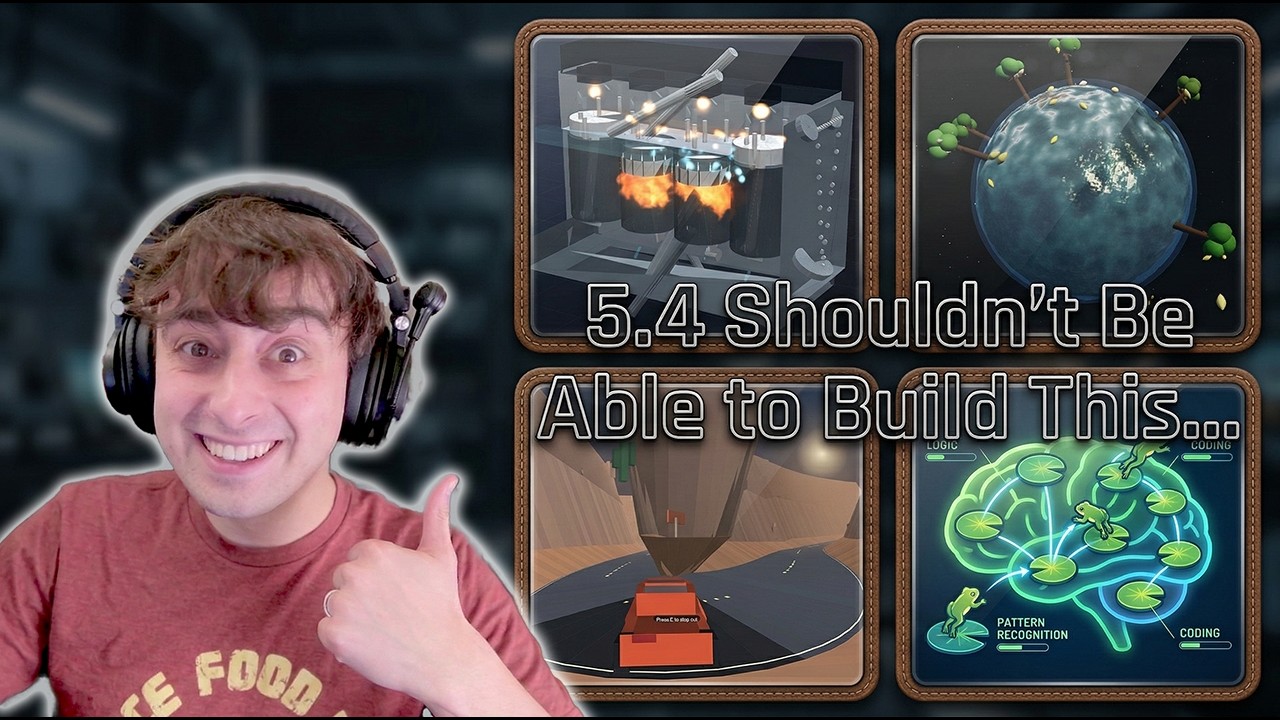
GPT 5.4 Pro Is the STRONGEST AI Model I’ve Tested (But Costs a TON)

OpenAI’s GPT 5.4 is genuinely strong, but the interesting part is where it breaks, where Pro pulls ahead, and where Claude or Gemini still win. I pushed it through real one-shot creative coding tests: a 3D engine sim, instrument pack generation, a driving game, a water globe, and interactive educational tools. In this video, GPT 5.4 Pro looks like the strongest no-compromises model overall, but Gemini still rules multimodality for me and Claude stays very competitive. ▼ Link(s) From Today’s Video: release blog: https://openai.com/index/introducing-gpt-5-4/ 5.4 mods pokemon red: https://x.com/backus/status/2029711059247059282 Angel Minecraft Demo: https://x.com/Angaisb_/status/2029635731585372598 Adam's Skills Comparison: https://x.com/AdamHoltererer/status/2029926291021894016 Image fails: https://x.com/himanshustwts/status/2029864003217089009 https://x.com/himanshustwts/status/2029864003217089009 API Pricing: https://developers.openai.com/api/docs/pricing/ MattVidPro Discord: https://discord.gg/mattvidpro Follow Me on Twitter: https://twitter.com/MattVidPro Buy me a Coffee! https://buymeacoffee.com/mattvidpro ▼ Extra Links of Interest: General AI Playlist: https://www.youtube.com/playlist?list=PLrfI66qWYbW3acrBQ4qltDBsjxaoGSl3I Instagram: instagram.com/mattvidpro Tiktok: tiktok.com/@mattvidpro Gaming & Extras Channel: https://www.youtube.com/@MattVidProGaming Let's work together! - For brand & sponsorship inquiries: https://tally.so/r/3xdz4E - For all other business inquiries: mattvidpro@smoothmedia.co Thanks for watching MattVideoProductions! I make all sorts of videos here on Youtube! Technology, Tutorials, and Reviews! Enjoy Your stay here. All Suggestions, Thoughts And Comments Are Greatly Appreciated

20

I Watched an AI Drive a Real Car Through San Francisco Using Arrow Keys

A small lab just shipped something that might be the most important AI agent demo I've seen this year. Standard Intelligence built FDM-1 — a computer use model trained on 11 million hours of video data that can actually generalize to any software interface. It used Blender to model a gear. It drove a real car through San Francisco using arrow keys. With less than one hour of fine-tuning data. This is what true computer use looks like. Also in today's video: Mercury 2's 1,000 tokens/sec diffusion AI, handcrafted 343-parameter models, Nano Banana 2 impressions, and Nvidia's Sonic robot model. ▼ Link(s) From Today’s Video: SI's Computer Use FDM-1: https://x.com/si_pbc/status/2025978959947784290 Inception Labs Mercury 2: https://www.inceptionlabs.ai/blog/introducing-mercury-2 Codex Hand Crafts Model weights: https://x.com/N8Programs/status/2026318679525163189 Nano banana 2: https://x.com/chetaslua/status/2026355434152685582 Nvidia Robotics Model: https://x.com/DrJimFan/status/2026350142652383587 ► MattVidPro Discord: https://discord.gg/mattvidpro ► Follow Me on Twitter: https://twitter.com/MattVidPro ► Buy me a Coffee! https://buymeacoffee.com/mattvidpro ▼ Extra Links of Interest: General AI Playlist: https://www.youtube.com/playlist?list=PLrfI66qWYbW3acrBQ4qltDBsjxaoGSl3I AI I use to edit videos: https://www.descript.com/?lmref=nA4fDg Instagram: instagram.com/mattvidpro Tiktok: tiktok.com/@mattvidpro Gaming & Extras Channel: https://www.youtube.com/@MattVidProGaming Let's work together! - For brand & sponsorship inquiries: https://tally.so/r/3xdz4E - For all other business inquiries: mattvidpro@smoothmedia.co Thanks for watching Matt Video Productions! I make all sorts of videos here on Youtube! Technology, Tutorials, and Reviews! Enjoy Your stay here, and subscribe! All Suggestions, Thoughts And Comments Are Greatly Appreciated… Because I Actually Read Them. 0:00 — What's In Today's Video (Overview) 0:45 — Standard Intelligence FDM-1: Computer Use AI 4:15 — Why This I

21

All about Gemini 3.1 whether it beats Claude 4.6 and what to use it for!

Gemini 3.1 Pro just dropped and Google is calling it their smartest model yet. But how does it actually hold up against Claude Sonnet 4.6 and Opus 4.6 on real, demanding tasks? I put them through the same prompts — complex 3D coding, car suspension simulations, SVG animations, and a multi-discipline xenobiology synthesis — across every available interface: the Gemini web app, API, AI Studio, Deep Think, and Google Anti-Gravity. ▼ Link(s) From Today’s Video: Cheta's Train: https://x.com/chetaslua/status/2024902185130373490 legitapi peter griffin: https://x.com/legit_api/status/2024588724147777847/photo/1 Ruben 3D printer: https://x.com/ruben_kostard/status/2024559261452218415 Daniel Cylinder and suspension: https://x.com/daniel_z1909/status/2024619824723153195 https://x.com/daniel_z1909/status/2024589509376061716 Deedy Ocean render: https://x.com/deedydas/status/2024693612307763299 ► MattVidPro Discord: https://discord.gg/mattvidpro ► Follow Me on Twitter: https://twitter.com/MattVidPro ► Buy me a Coffee! https://buymeacoffee.com/mattvidpro ------------------------------------------------- ▼ Extra Links of Interest: General AI Playlist: https://www.youtube.com/playlist?list=PLrfI66qWYbW3acrBQ4qltDBsjxaoGSl3I AI I use to edit videos: https://www.descript.com/?lmref=nA4fDg Instagram: instagram.com/mattvidpro Tiktok: tiktok.com/@mattvidpro Gaming & Extras Channel: https://www.youtube.com/@MattVidProGaming Let's work together! - For brand & sponsorship inquiries: https://tally.so/r/3xdz4E - For all other business inquiries: mattvidpro@smoothmedia.co Thanks for watching Matt Video Productions! I make all sorts of videos here on Youtube! Technology, Tutorials, and Reviews! Enjoy Your stay here, and subscribe! All Suggestions, Thoughts And Comments Are Greatly Appreciated… Because I Actually Read Them. 0:00 Gemini 3.1 Is Here: What’s New & Why It Matters 00:41 Animated SVG Train Demo (and GR 4.2 vs Gemini) 01:54 Gemini Web App Vibes: Speed, “Low Thinking,” and Meme IQ 03:06

22

Claude Cowork Is the First AI That Feels Like a Real Employee

Grab the free Claude Cowork Stack from HubSpot: https://clickhubspot.com/2077f9 👉 Join the fastest-growing AI education platform! Try it free and explore 20+ top-rated courses in AI included Introduction to AI Agents course: https://bit.ly/skill-leap I walk through how I use Claude Cowork to get real work done like a real assistant. Claude Cowork can access files on my computer, use data from apps like Google Drive and Google Calendar, and run tasks on its own. In this video, I share 7 real examples of how I use Claude Cowork to save time and finish projects faster. First, I use Claude Cowork to organize thousands of screenshots on my desktop. It creates folders, renames files, and moves everything for me. It doesn’t just give instructions. It actually does the work. Next, I show how Claude Cowork builds a full marketing campaign from one prompt. I give it product files and brand details, and it creates ad copy, blog posts, emails, a landing page, and even a 30-day launch plan. Everything is saved in one organized folder. I also use Claude Cowork for meeting prep, travel planning, and weekly calendar planning. It reviews my calendar, suggests deep work blocks, and creates ready-to-use files like itineraries and expense trackers. Then I combine Claude Cowork with Claude Projects and custom skills to create branded presentations and personalized sales outreach. If you want to see what Claude Cowork can really do, this full walkthrough shows you step by step how I use Claude Cowork to get more done in less time.

23

Google Dropped Lyria 3 AI Music but Sunauto v3 STOLE the show!

AI music generation just took a massive leap. I tested Google's brand new Lyria 3 music model, compared it head-to-head against Suno V5, and then discovered Sunato V3 — an unrestricted AI music generator that can perfectly replicate the vocal style of virtually any artist. The results are mind-blowing and honestly a little scary. Also: Gemini 3.1 Pro just dropped with insane SVG and coding improvements. All AI-generated music demos in this video are for educational/review purposes only. No AI-generated content in this video is intended for commercial distribution. #AIMusic #Lyria3 #Suno #SunatoAI ▼ Link(s) From Today’s Video: Try Lyria 3: https://gemini.google.com/ Sign up for Sunauto AI: https://sonauto.ai/ Suno AI: https://suno.com/ Lyria 3 announcement: https://x.com/OfficialLoganK/status/2024153948488118513 Gemini 3.1: https://x.com/GoogleDeepMind/status/2024516464892334129 Cheta SVG: https://x.com/chetaslua/status/2024346974888329350 AI Battle compare: https://x.com/AiBattle_/status/2024514510451560776 ► MattVidPro Discord: https://discord.gg/mattvidpro ► Follow Me on Twitter: https://twitter.com/MattVidPro ► Buy me a Coffee! https://buymeacoffee.com/mattvidpro ------------------------------------------------- ▼ Extra Links of Interest: General AI Playlist: https://www.youtube.com/playlist?list=PLrfI66qWYbW3acrBQ4qltDBsjxaoGSl3I AI I use to edit videos: https://www.descript.com/?lmref=nA4fDg Instagram: instagram.com/mattvidpro Tiktok: tiktok.com/@mattvidpro Gaming & Extras Channel: https://www.youtube.com/@MattVidProGaming Let's work together! - For brand & sponsorship inquiries: https://tally.so/r/3xdz4E - For all other business inquiries: mattvidpro@smoothmedia.co Thanks for watching Matt Video Productions! I make all sorts of videos here on Youtube! Technology, Tutorials, and Reviews! Enjoy Your stay here, and subscribe! All Suggestions, Thoughts And Comments Are Greatly Appreciated… Because I Actually Read Them. 00:00 AI Music Gen Update: Google’s

25

I Tested Skywork Desktop AI, Here's What Happened (Windows CoWork)

**Skywork for Windows - AI Desktop Assistant Demo** https://skywork.ai/desktop?utm_source=ytb&referrer=mervin Skywork is now available as a native Windows desktop application, bringing powerful AI automation directly to your PC. In this video, I demonstrate three practical use cases: • Automatically organizing messy desktop folders and removing duplicates • Creating PowerPoint presentations from existing documents + web research • Building a multi-page website with HTML, CSS, and JavaScript **Key Features:** - Runs locally on your Windows computer - Integrates with Google Workspace, Outlook, Slack, Discord, and more - Supports multiple file types (PDF, DOCX, JSON, TXT) - Works with various AI models (Anthropic, OpenAI, Gemini) - Folder-specific permissions for enhanced security **Timestamps:** 0:00 - Introduction & messy desktop 1:03 - Skywork overview & setup 2:08 - Demo 1: Auto-organizing folders 4:32 - Demo 2: Creating PowerPoint presentations 6:56 - Demo 3: Building a multi-page website This is essentially Cowork but optimized for Windows users. Your data stays private with local execution, while AI processing happens through your chosen LLM provider. *Sponsored by Skywork* Discover the incredible features of Skywork AI, from its powerful ai document generator to its impressive ai presentation maker capabilities! 🌟 In this video, I dive into how Skywork AI enhances your productivity with its ai content creation tools and provides a comprehensive skywork review. Don't miss out on its innovative ai slide generator that's set to elevate your projects! 🚀

26

Statistical Thinking in Science: Crash Course Scientific Thinking #2

We’re all gonna die someday. But can statistics help us know when? In this episode of Crash Course Scientific Thinking, we’ll learn how to interpret the statistics we see in our daily lives. And we’ll explore why we need stats to make informed judgments, be more precise about what we don’t know, and get closer to what we can know. Introduction: When Will I Die? 00:00 Basic Statistics 0:44 Confidence Intervals 4:14 Relative & Absolute Risk 5:32 Correlation vs. Causation 7:22 Review & Credits 9:45 Sources: https://docs.google.com/document/d/1Kv2_mFsDxQURuFDxpflD45dy-pCxlqnM9iPSNYxigmQ/edit?tab=t.0#heading=h.vk5i2fgqyumq *** Support us for $5/month on Patreon to keep Crash Course free for everyone forever! https://www.patreon.com/crashcourse Or support us directly: https://complexly.com/support Join our Crash Course email list to get the latest news and highlights: https://mailchi.mp/crashcourse/email Get our special Crash Course Educators newsletter: http://eepurl.com/iBgMhY Thanks to the following patrons for their generous monthly contributions that help keep Crash Course free for everyone forever: Mitch Gresko, Roger Harms, Brandon Thomas, Ken Davidian, AThirstyPhilosopher ., Michael Maher, Johnathan Williams, Chelsea S, oranjeez, EllenBryn, Katrix , Evan Nelson, Shruti S, UwU, Leah H., Allison Wood, Thomas Sully, Jennifer Wiggins-Lyndall, Dalton Williams, Quinn Harden, Chuck Smith, Andrew Woods, Kevin Knupp, Rie Ohta, Jason Terpstra, NassauLinda, Martin G. Diller, Matthew Fredericksen, Gina Mancuso, Elizabeth LaBelle, DexcilaDou, Barbara Pettersen, SpaceRangerWes, Emily Beazley, David Fanska, Reed Spilmann, Pietro Gagliardi, Jason Rostoker, Toni Miles, Les Aker, Alex Hackman, Liz Wdow, Wai Jack Sin, team dorsey, Rizwan Kassim, Eric Koslow, John Lee, Triad Terrace, Duncan W Moore IV, Matt Curls, ClareG, Emily T, Kristina D Knight, Stephen McCandless, Barrett, Bernardo Garza, Katie Dean, Laurel Stevens, Ian Dundore, Thomas, Trevin Beattie, Steve Segreto, Josep

28

Hypothesis Testing for a Normal Distribution, Sigma Known

Here we look at a quick example of conducting a hypothesis test. In this video, we'll walk you through a step-by-step process for testing hypotheses with a known normal distribution. Using a real-world example, you'll learn how to set up null and alternative hypotheses, calculate the test statistic, and use the rejection region approach as well as the p-value approach to decide whether or not to reject the null hypothesis. What You Will Learn: Understanding the basics of hypothesis testing and its significance in statistics. How to formulate the null hypothesis and alternative hypothesis Calculating the test statistic and interpreting results. Using the rejection region and significance level to make decisions about the null hypothesis. Applying the concepts of p-values and rejection regions to draw meaningful conclusions about data. This video is ideal for students aiming to build a strong foundation in hypothesis testing, particularly when the standard deviationis known, and the sample follows a normal distribution. Perfect for statistics learners, math enthusiasts, and teachers looking for an engaging, practical demonstration of hypothesis testing. (https://www.youtube.com/watch?v=NSgzTnrpakk) (https://www.youtube.com/watch?v=PZPJTgwQbww) (https://www.youtube.com/watch?v=9kNt-7KE_wA) About Pearson Education: This video is part of an educational series for Pearson Education, a leading provider of high-quality learning materials. Through clear explanations and practical examples, we aim to make statistics concepts like hypothesis testing accessible and engaging. For more great statistics videos, please check out (https://www.pearson.com/en-us/search.html/Statistics) #HypothesisTesting #Statistics #MathTutorial #PearsonEducation #NullHypothesis #AlternativeHypothesis #StatisticsLessons #MathHelp #SignificanceLevel #ZScore #RejectionRegion #PValue #StatisticsTutorial #mathconcepts hypothesis testing, null hypothesis, alternative hypothesis

Similar Collections